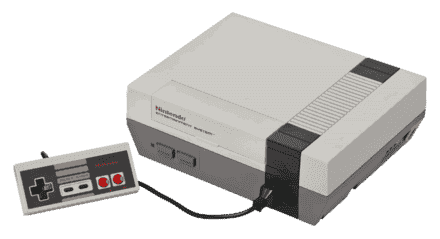
Nintendo Entertainment System Emulatoren
8 Emulatoren verfügbar — wähle den richtigen für dein Gerät
BizHawk
EmpfohlenOpen SourceBizHawk is a multi-system emulator focused on Tool-Assisted Speedruns (TAS). It supports over 30 consoles, offers frame-by-frame rewind, RAM watch, Lua scripting, and is the go-to tool for the TASVideos community.
Delta
EmpfohlenOpen SourceDelta is the best free multi-system emulator for iPhone and iPad. Available on the App Store, it supports NES, SNES, N64, GBA, GBC, and DS — no jailbreak required.
Mednafen
EmpfohlenOpen SourceMednafen is a high-accuracy multi-system emulator with best-in-class cores for Saturn, PS1, PC Engine, Neo Geo Pocket, Virtual Boy, NES, SNES, and Game Boy. A first choice for accuracy-focused emulation.
Mesen 2
EmpfohlenOpen SourceMesen 2 is a high-accuracy multi-system emulator covering NES, SNES, Game Boy, and GBA. It features cycle-accurate emulation, advanced debugging tools, and excellent game compatibility.
OpenEmu
EmpfohlenOpen SourceOpenEmu is the best all-in-one emulator for macOS, unifying multiple cores in one polished Mac-native app. It supports a huge range of consoles with automatic ROM organization, artwork fetching, and iCloud saves.
RetroArch
EmpfohlenOpen SourceRetroArch is an all-in-one frontend for emulators, game engines, and media players. It brings hundreds of emulator cores under one roof with a unified interface, shader support, and cross-platform availability.
FCEUX
Open SourceFCEUX is a mature NES/Famicom emulator with wide mapper support. It includes a built-in debugger, RAM search, and TAS recording tools favored by the speedrunning community.
Nestopia UE
Open SourceNestopia Undead Edition is a fork of the classic Nestopia emulator focused on accuracy and broad software compatibility with the full NES and Famicom game library.
Wie man NES-ROMs spielt
- 1Einen Emulator herunterladen aus der obigen Liste — wähle einen, der zu deinem Betriebssystem passt.
- 2Eine ROM herunterladen für das Spiel, das du spielen möchtest, aus unserer Spielebibliothek.
- 3Die ROM öffnen im Emulator über Datei → Öffnen oder durch Ziehen der ROM-Datei ins Fenster.
- 4Steuerung konfigurieren in den Emulator-Einstellungen, um Tastatur oder Gamepad zuzuweisen, und das Spiel genießen!