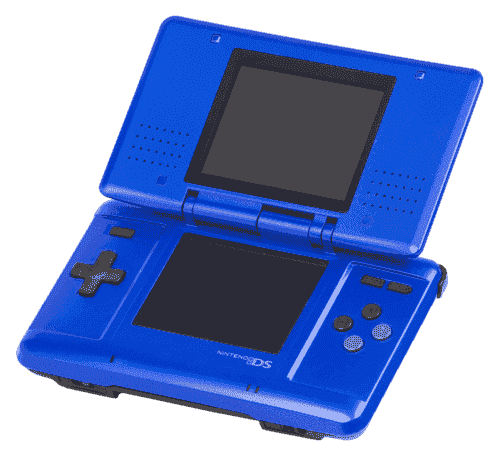
Nintendo DS Émulateurs
7 émulateurs disponibles — choisissez le bon pour votre appareil
BizHawk
RecommandéOpen SourceBizHawk is a multi-system emulator focused on Tool-Assisted Speedruns (TAS). It supports over 30 consoles, offers frame-by-frame rewind, RAM watch, Lua scripting, and is the go-to tool for the TASVideos community.
Delta
RecommandéOpen SourceDelta is the best free multi-system emulator for iPhone and iPad. Available on the App Store, it supports NES, SNES, N64, GBA, GBC, and DS — no jailbreak required.
DraStic DS Emulator
RecommandéDraStic is the fastest Nintendo DS emulator for Android. It features 2× fast-forward, resizable dual screens, cheat code support, and hardware controller compatibility.
melonDS
RecommandéOpen SourcemelonDS is a modern, open-source Nintendo DS emulator aiming for accuracy and performance. It supports Wi-Fi simulation, DSi emulation, and OpenGL rendering.
OpenEmu
RecommandéOpen SourceOpenEmu is the best all-in-one emulator for macOS, unifying multiple cores in one polished Mac-native app. It supports a huge range of consoles with automatic ROM organization, artwork fetching, and iCloud saves.
RetroArch
RecommandéOpen SourceRetroArch is an all-in-one frontend for emulators, game engines, and media players. It brings hundreds of emulator cores under one roof with a unified interface, shader support, and cross-platform availability.
DeSmuME
Open SourceDeSmuME is one of the oldest and most feature-complete Nintendo DS emulators, with support for a wide range of games and a long list of enhancement options.
Comment jouer aux ROMs NDS
- 1Télécharger un émulateur dans la liste ci-dessus — choisissez-en un compatible avec votre système d'exploitation.
- 2Télécharger un ROM pour le jeu que vous souhaitez jouer depuis notre bibliothèque de jeux.
- 3Ouvrir le ROM dans l'émulateur via Fichier → Ouvrir ou en faisant glisser le fichier ROM dans la fenêtre.
- 4Configurer les contrôles dans les paramètres de l'émulateur pour mapper votre clavier ou manette, puis profitez du jeu !