GBA
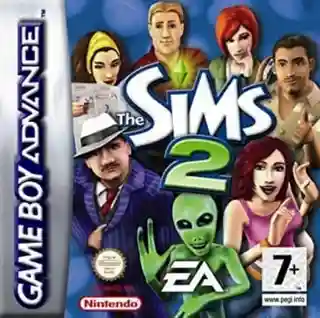
The Sims 2
The Sims 2 for Game Boy Advance is a unique life simulation game that combines traditional Sims gameplay with RPG elements. Players create and control Sims in a portable adventure featuring story-driven gameplay, relationships, and career progression.
Release Date
January 1, 2005
Players
1
Region
US
ROM Size
23.4 MB
Share this game
Gameplay Systems
From the neighborhood view, the player selects one lot to play, as in The Sims . While there are both residential and community lots, Sims can only live in residential lots. Sims can travel to community lots in order to purchase things like clothing and magazines, and to interact with NPCs and townies. The player can choose between playing a pre-made inhabited lot, moving a household into an unoccupied pre-built lot, or constructing a building on an empty lot. One novelty from The Sims is foundations . The player switches among the Live mode (default) to control Sims, the Buy mode to add, move, or delete furniture, and the Build mode to rebuild the house and make structural changes. Although the Buy and Build modes cannot be accessed when on a community lot, the lots can be built on by using the neighborhood view. It is also possible to import neighborhood terrains from SimCity 4 . The game contains some time-bound social challenges that provide a reward if successful. Sims can throw parties to gain aspiration points or invite the headmaster over for dinner in order to enroll their children in private school. Some expansion packs have new mini-games like running a Greek house in University , or dating in Nightlife . In Nightlife , each date is a challenge to keep both Sims as happy as possible while accumulating aspiration points. Various other expansion packs introduce supernatural characters which Sims can be turned into, such as Zombies, Vampires, Werewolves, PlantSims, and Witches. Sims The main part of the game is to lead a Sim from the start of life to death. A Sim will be born when a female Sim and a male Sim try for a baby several times. The mother will spend 3 Sim days (each day lasts 24 minutes though time can be sped-up) pregnant before giving birth to a baby. During Pregnancy, the belly does not expand gradually. Instead, every day, it pops to a bigger size. Players can name the new Sim upon birth. The baby's appearance and personality will be based on the genetics of its parents (though the baby's appearance is hidden until it becomes a toddler). Babies can also be adopted by calling adoption service on the phone, even by single parents, old age sims or same-gender couples. The baby will change into a toddler in 3 days, and 4 more days for the toddler to change into a child. After 8 days, the child grows into a teenager , and will live 15 days before changing into an adult. After 29 days, the Sim will become an elder . An elder will eventually die; the length of this final stage depends on the aspiration bar when they become an elder. Babies, toddlers, children, teens, and adults can be advanced to their next life stage at any time during the 24 Sim hours before they will grow up automatically. For babies, this requires using the birthday cake. Toddlers, children, teens, and adults can use the "Grow Up" self-interaction. If the university expansion pack is installed, teens have the option to go to college, where they will be young adults for approximately 24 days. Aging can be disabled via cheats. Poor choices can have consequences. Players will need to build up talent badges, skills, and relationships with other people, so that they can be successful in their career. A player will also need to make sure a Sim is happy and well by fulfilling wants (including lifetime wants, avoiding fears, and fulfilling motives). Pregnancy, toddlers, teens, and elders are new stages of life. Young adult is a unique age added with the University expansion. Teen Sims will become young adults once they are moved to a university, and will be adults once they leave campus, regardless of the reason. Create-a-Sim In The Sims 2 , Create a Family is entered by clicking the "Families" button in the lower left-hand corner of the neighborhood view, then clicking the large "Create New Family" button. Clicking the button labeled "Create A Sim" will expand a tab which has the "Create a Sim" and "Make a Child" icons. "Make a Child" will be grayed out unless the family contains an adult male and adult female. Clicking the "Create a Sim" icon will generate a random adult Sim, who may be male or female which can be edited by the player. As opposed to The Sims , any age besides baby or young adult (which must be made in the University Create a Student tool) may be created. Instead of having to choose from already finished faces which include hair, it is now possible to alter the facial structure (e.g. widening the nose, thinning the lips, elongating the chin, and so on) and choose any hairstyle to go with it. Different eye colors and an additional skin tone is available for the Sims as well. If Sims are older than a child, their aspiration and turn-ons/offs ( Nightlife or later) may be determined. There are ten personality traits which are: sloppy, neat, shy, outgoing, lazy, active, serious, playful, grouchy, and nice but only 25 personality points which can be assigned to those traits. In The Sims 2 , all personality points must be assigned. Additionally, there are twelve pre-set personalities, one for each zodiac sign. A zodiac sign will be set which matches the personality the player has selected for the Sim. A sim also has one of eight Aspirations which is a lifetime goal that strongly influences their Wants and Fears which are: Grow Up (only for toddler and child Sims), Romance, Family, Knowledge, Popularity, Fortune, Pleasure ( Nightlife or later), and the Grilled Cheese aspiration ( Nightlife or later, and can only be set as a Sim's main aspiration if they use the ReNuYuSenso Orb machine and it malfunctions). The Sims 2 comes with The Sims 2 Body Shop, which enables users to create custom genetics, make-up, clothes, and Sims, with the help of third-party tools, such as Microsoft Paint , Paint.NET , Adobe Photoshop , GIMP , and SimPE.
Media Reviews
IGN
100
Some information sourced from Wikipedia, available under CC BY-SA 3.0.